> ## Documentation Index
> Fetch the complete documentation index at: https://docs-dev-fix-docs-5525.mintlify.site/llms.txt
> Use this file to discover all available pages before exploring further.
> Describes how to update the access token lifetime for an API using the Auth0 Dashboard.
# Update Access Token Lifetime
You can change the access token lifetime using the Auth0 Dashboard.
## Configure access token lifetime
1. Go to [Dashboard > Applications > APIs](https://manage.auth0.com/#/apis) and select the name of the API to view.
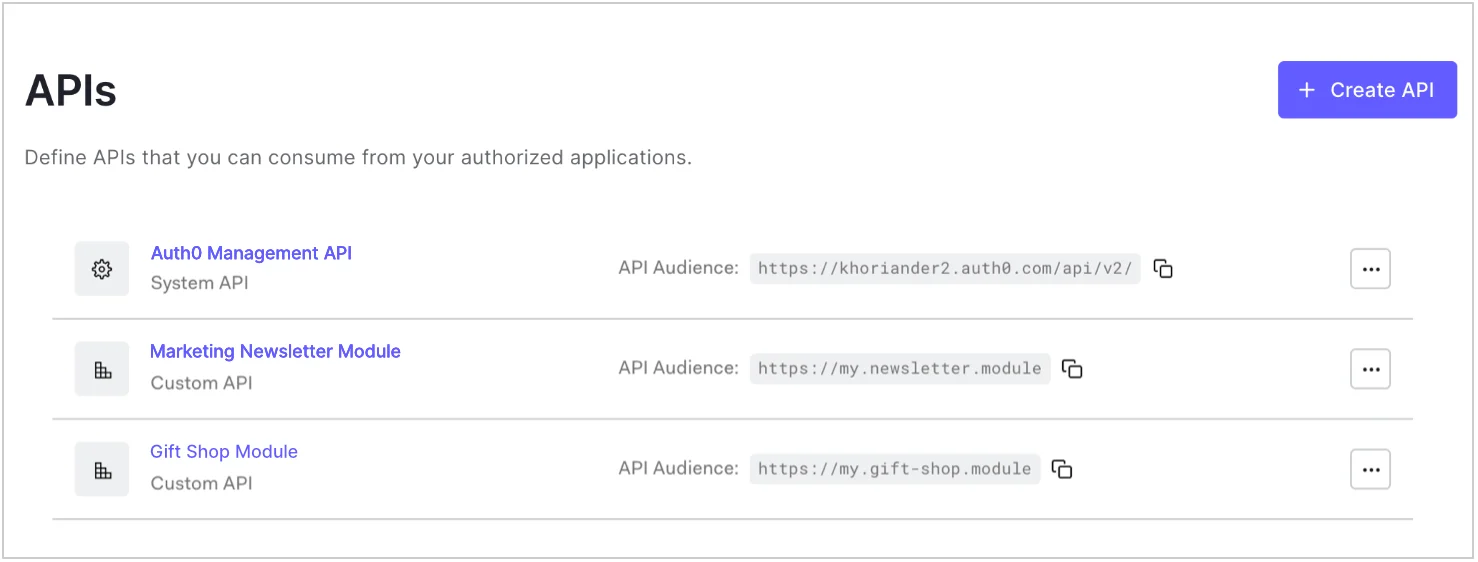 2. Locate the **Maximum Access Token Lifetime** field under **Access Token Expiration**.
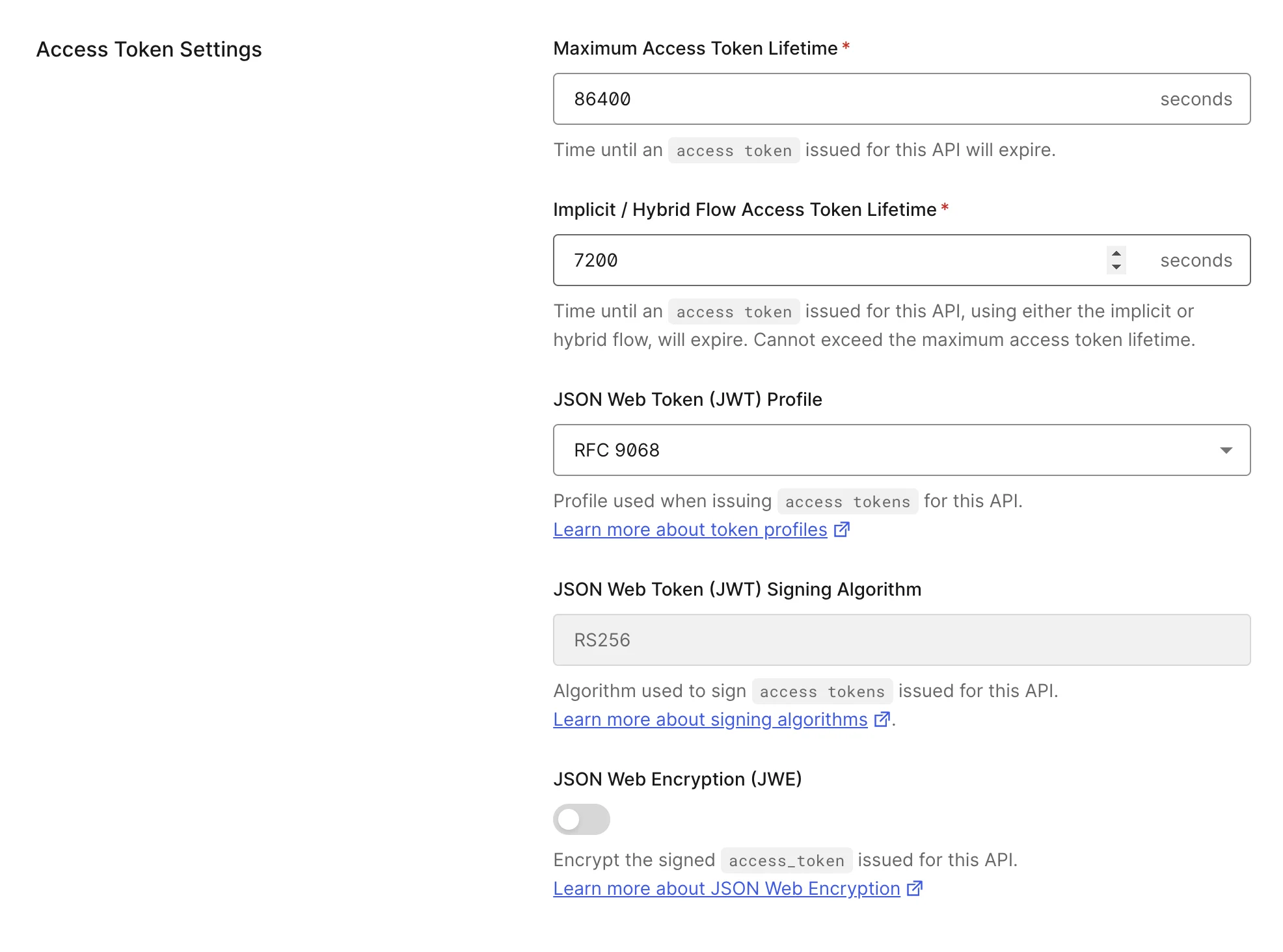 3. Enter the desired lifetime (in seconds) for access tokens issued for this API.
* Default value is `86,400` seconds (24 hours).
* Maximum value is `2,592,000 seconds` (30 days).
4. Select **Save Changes**.
## Token Expiration For Browser Flows
The **Implicit / Hybrid Flow Access Token Lifetime** field refers to access tokens issued for the API through implicit and hybrid flows and does not cover all flows initiated from browsers.
For example, the PKCE flow (used in `auth0-js-spa` SDK) can be initiated from the browser, but it references the **Token Expiration** value, not the **Implicit / Hybrid Flow Access Token Lifetime** value.
## Restricted lifetime for MFA access tokens
The lifetime of access tokens with the `{yourAuth0Domain}/mfa` audience are restricted to `600` seconds (10 minutes) for security reasons and cannot be modified.
## Learn more
* [Update ID Token Lifetime](/docs/secure/tokens/id-tokens/update-id-token-lifetime)
3. Enter the desired lifetime (in seconds) for access tokens issued for this API.
* Default value is `86,400` seconds (24 hours).
* Maximum value is `2,592,000 seconds` (30 days).
4. Select **Save Changes**.
## Token Expiration For Browser Flows
The **Implicit / Hybrid Flow Access Token Lifetime** field refers to access tokens issued for the API through implicit and hybrid flows and does not cover all flows initiated from browsers.
For example, the PKCE flow (used in `auth0-js-spa` SDK) can be initiated from the browser, but it references the **Token Expiration** value, not the **Implicit / Hybrid Flow Access Token Lifetime** value.
## Restricted lifetime for MFA access tokens
The lifetime of access tokens with the `{yourAuth0Domain}/mfa` audience are restricted to `600` seconds (10 minutes) for security reasons and cannot be modified.
## Learn more
* [Update ID Token Lifetime](/docs/secure/tokens/id-tokens/update-id-token-lifetime)